Automating data workflows using Amazon Textract and Amazon Comprehend Medical deployed through Terraform
- Troy Dieter
- Aws
- June 7, 2021
Table Of Contents
Overview
Automating data workflows using Amazon Textract and Amazon Comprehend Medical deployed through Terraform
Contents
Objective
Upload .png, .jpg, .pdf data to a S3 source bucket. Process sample medical data using Amazon Textract, Amazon Comprehend and store it in S3. Unlock the ability to query data using Amazon Athena and visualize using QuickSight.
Source Code
The GitHub repository is available here.
Process
To run a validation process using a valid claim form
- The input directory is automatically created for you, along with uploading the test file.
- Examine the CSV file in the S3 bucket’s “result” prefix. This CSV file should contain the fields extracted from the PNG file using Amazon Textract.

- Examine the CSV file in the S3 bucket’s “procedureresult” prefix. This CSV file should contain the fields extracted from “PROCEDURE” key from the sample template using Amazon Comprehend Medical

To run a validation process using an invalid claim form
For claims that fail validation, an email notification is sent to the user notifying them to fix the errors. To replicate this use case, use the sample PNG form as an example, which has an invalid Claim ID.
- Download and save the image as .png file and run the steps 1 and 2 mentioned above.
- Check your email for message from Amazon SNS. This time, instead of a CSV file in the “result” bucket, you should see an email notification instead.

- Optionally, Check the AWS Lambda execution logs in Amazon CloudWatch
Analyzing and Visualizing Claim data
To execute the analytics from claim data using Amazon Athena
- Run the query using Amazon Athena Query Editor

To setup a visualization for the claim procedure field
- Follow these steps to create data set using Amazon Athena data
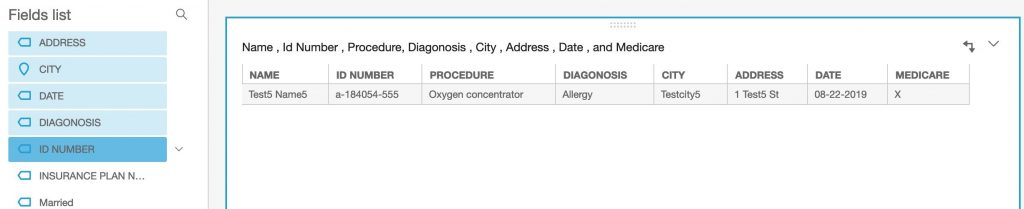
- Define the visualization by selecting the parameters on the left.


To setup a visualization for the claim data
- Follow these steps to create data set using Amazon S3 for claim document entities
- Define visualization by selecting the parameters on the left
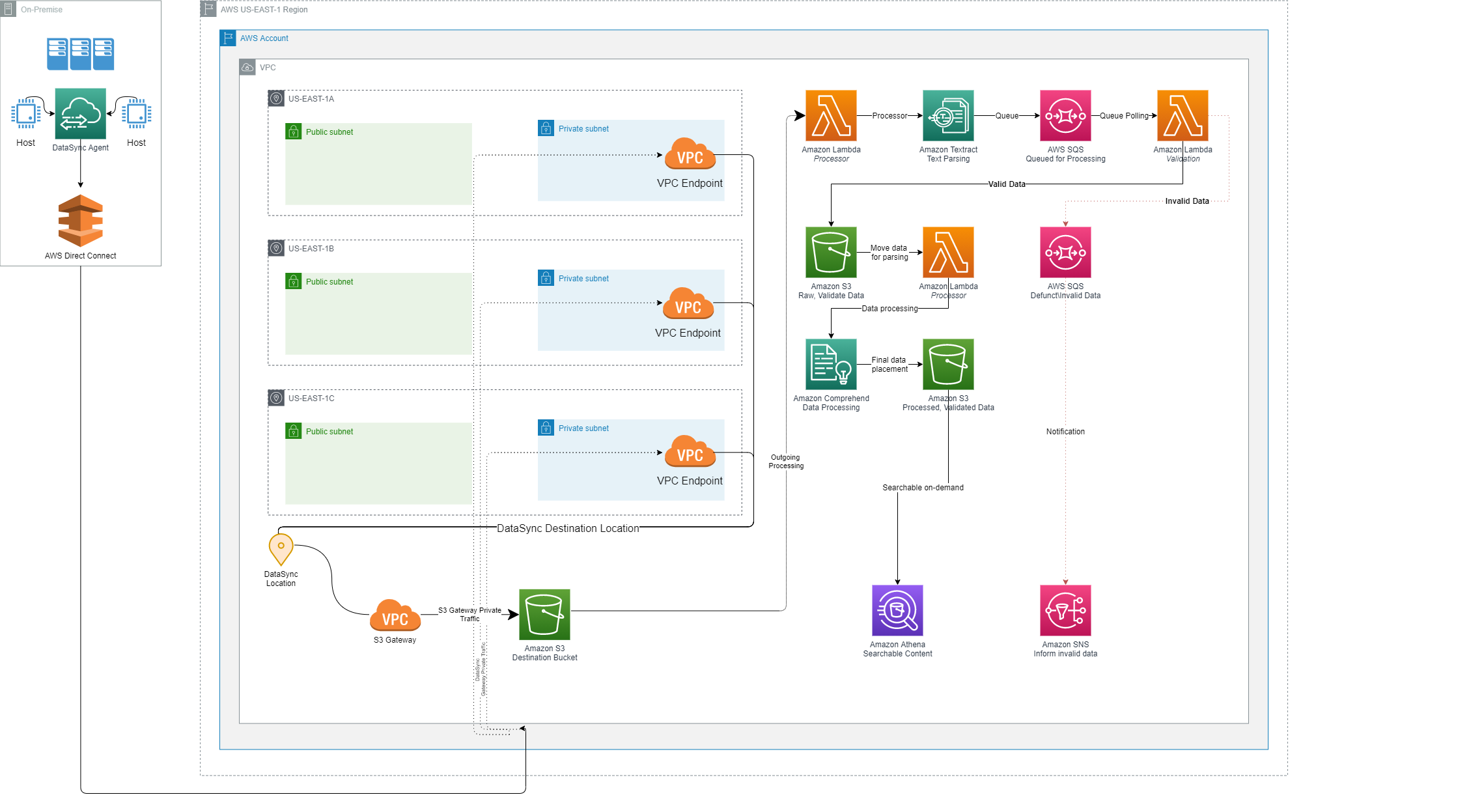
Diagram
Requirements
- Terraform v.12 or later
- AWS Account
- AWS IAM credentials (set in the
~/.aws/credentials file) to deploy the required resources
Variables
variable  "aws_region"  {

type =  string

default =  "us-east-1"

description =  "AWS Region to deploy to"

}


variable  "aws_profile"  {

type =  string

description =  "AWS Profile to use credentials to deploy"

}


variable  "email"  {

type =  string

description =  "Email address used for notifications"

}


variable  "policy-attach"  {

default =  {

"arn:aws:iam::aws:policy/AmazonS3FullAccess" = 1,

"arn:aws:iam::aws:policy/AmazonSQSFullAccess" = 2,

"arn:aws:iam::aws:policy/AmazonSNSFullAccess" = 3,

"arn:aws:iam::aws:policy/AWSLambda_FullAccess" = 4,

"arn:aws:iam::aws:policy/AmazonTextractFullAccess" = 5,

"arn:aws:iam::aws:policy/ComprehendMedicalFullAccess" = 6,

"arn:aws:iam::aws:policy/CloudWatchFullAccess" = 7,

"arn:aws:iam::aws:policy/service-role/AWSLambdaBasicExecutionRole" = 8

}

}
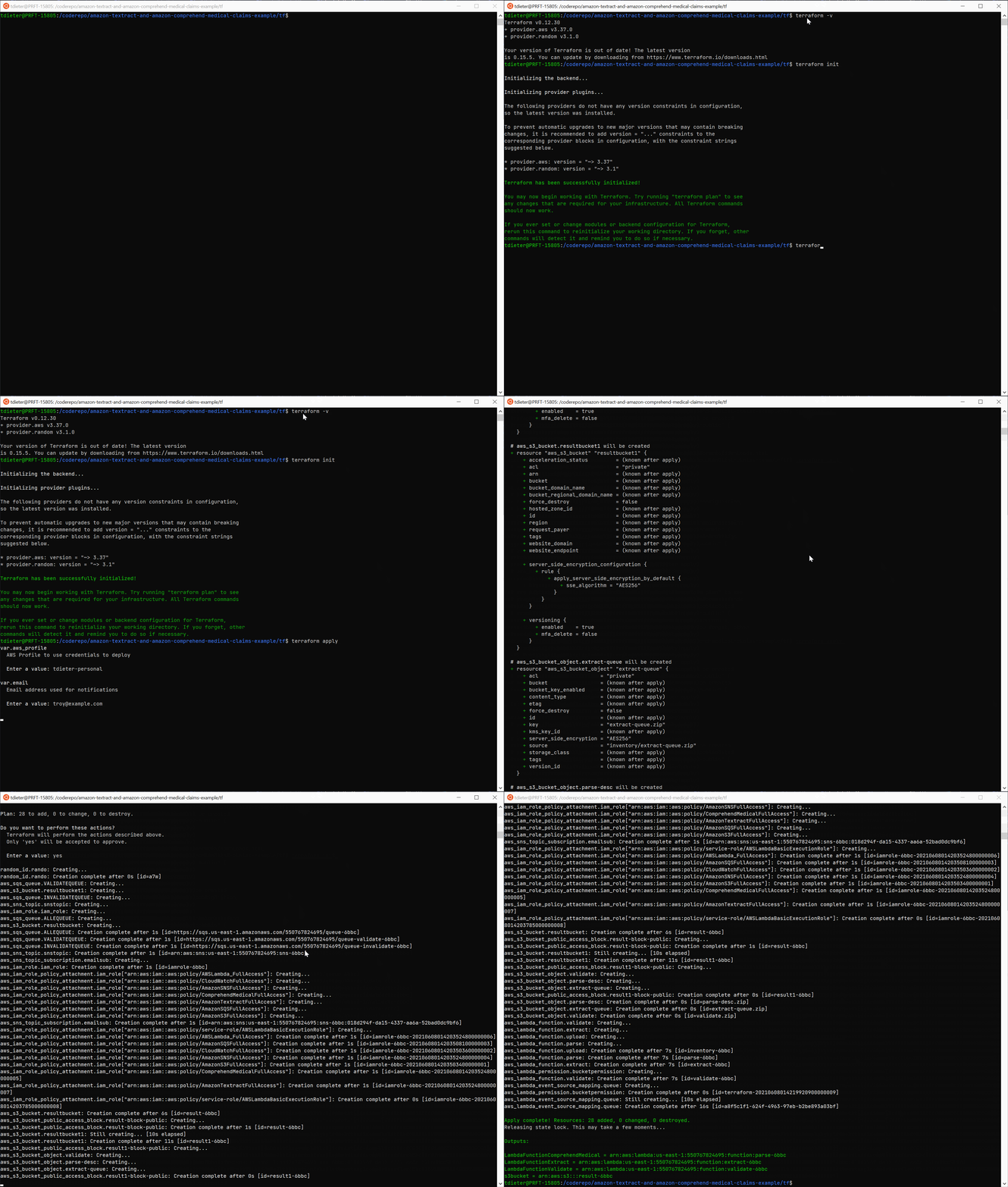
Demo